Automation
Automation you can actually control
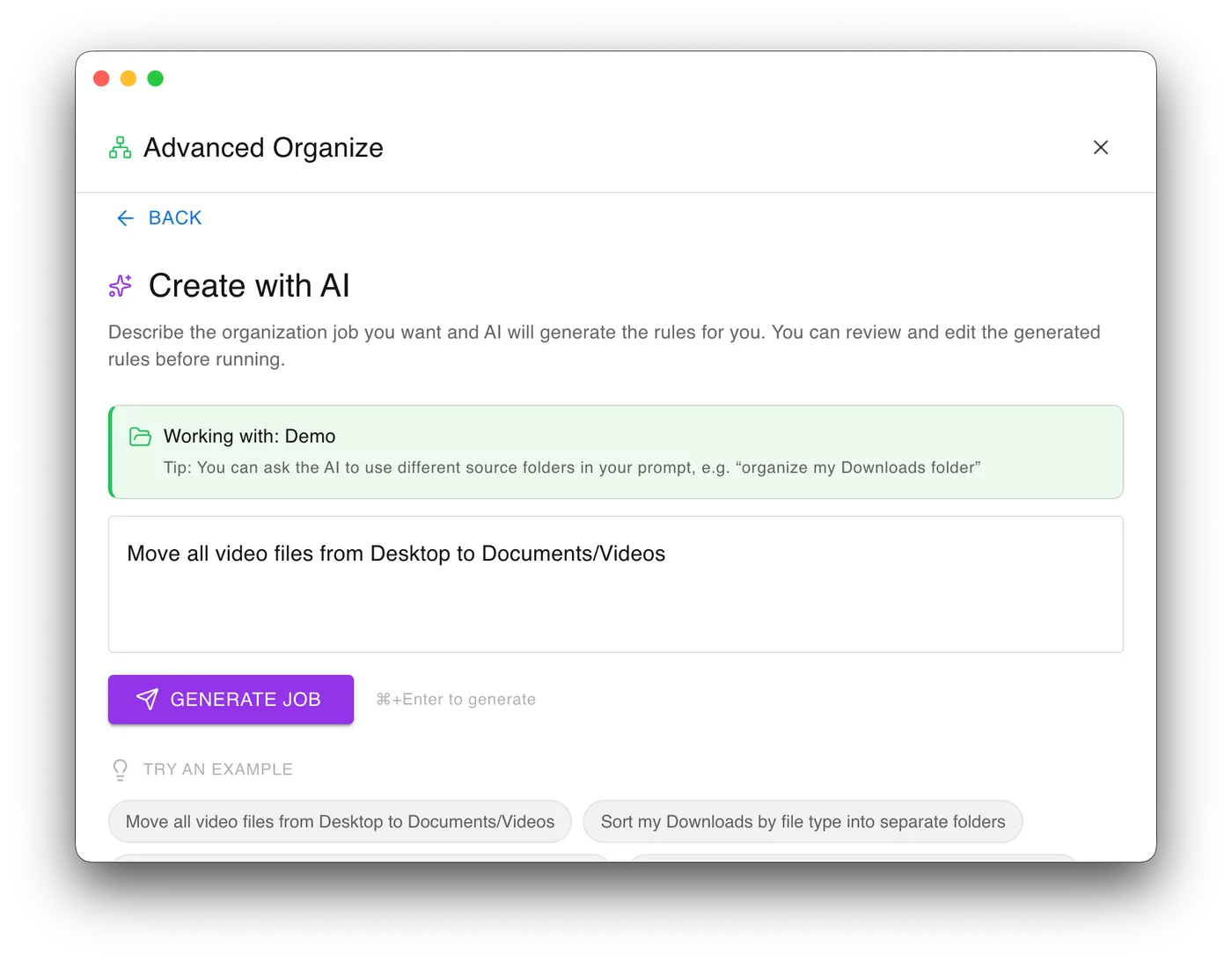
Build workflows in a visual rule graph instead of stacking fragile checkbox rules. Revise a job with AI assistance, then dry-run it and see exactly what would move before anything does.
The first app with true hardware-bound file encryption.
No other app binds file encryption to your hardware this directly: one tap, and the file is locked to a key only your fingerprint or physical security key can produce. The rest is a file manager built the same way round. Every rule is visible, every action previews before it runs, and the encryption design is published rather than asserted.
Automation
Build workflows in a visual rule graph instead of stacking fragile checkbox rules. Revise a job with AI assistance, then dry-run it and see exactly what would move before anything does.
Encryption
One tap encrypts with Touch ID or a YubiKey, using keys only your hardware can produce. No password to remember, no password to leak. AES-256-GCM with multi-key support, so more than one device can unlock the same file.
Transparency
The algorithms, key-derivation chain, file layout, and threat model are all documented and published as a free whitepaper. Security you can audit beats security you are asked to believe in.
Storage
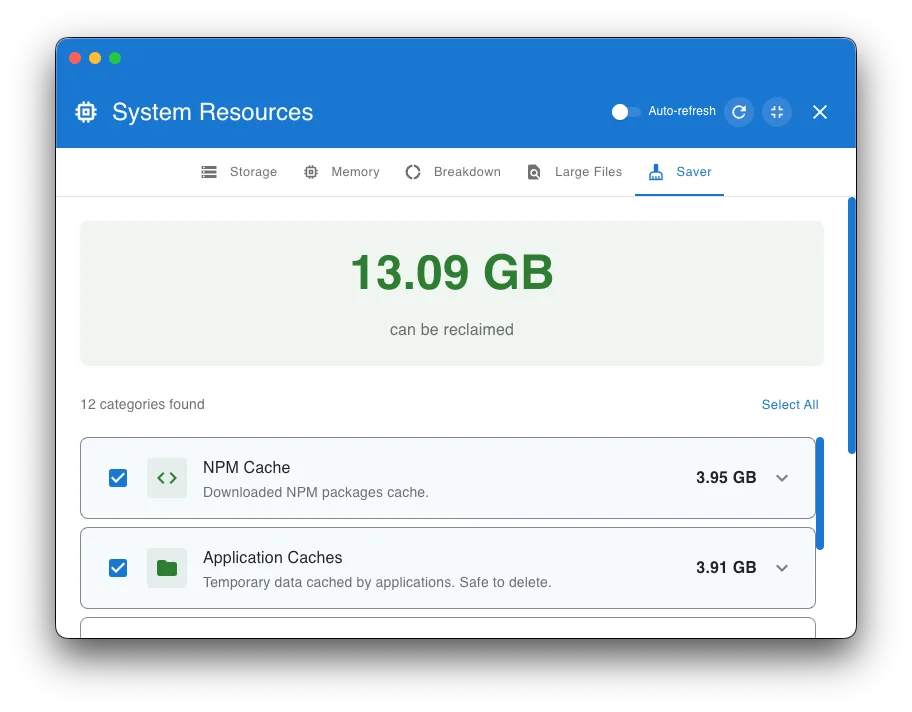
Space Saver surfaces reclaimable caches, temporary data, logs, and browser clutter without sending you digging through hidden folders. Large File Finder adds per-app category control.
Deletion
Detects SSDs versus spinning disks and applies the correct secure-deletion strategy for each, instead of reusing legacy overwrite logic everywhere.
Under the hood
A password can be guessed, phished, or reused somewhere else. Binding to hardware removes the password entirely: the secret lives inside a chip and never comes out, so someone who steals the file, the laptop, and everything stored on it still has nothing to open it with. Here is what happens in the second it takes.
A brand new random key is generated for each file, never reused and never written down anywhere readable. Cracking one file tells an attacker nothing about the next.
The app poses a question only your YubiKey or your Mac's Secure Enclave can answer, using a secret that physically cannot be read out of the chip. Not copied, not cached: it never leaves the hardware, so there is nothing on the disk to steal.
That answer is blended with a random value unique to this one file, so the same YubiKey produces a different key for every file it protects. Standard key-derivation, HKDF-SHA-256, does the blending.
The file's own key is sealed shut and stored inside the encrypted file, openable only by the hardware. The contents are then encrypted with AES-256-GCM, the same cipher banks and browsers use, with tamper detection across the whole file. Several locks can sit on one file, so a YubiKey and Touch ID can each open it independently.
Contact
I take on selective full-stack and native work: secure systems, desktop apps, and data-heavy interfaces. Based in Oklahoma City, working remotely.